




Bluetooth standard: 5.4
Effective working radius: 10
Transmission rate: 100
Plug and play: Plug and play
Interface: 3.5mm //TF
External power supply: No external power supply
Operating frequency: 2.4
Battery capacity: 200 mAh. Optional aircraft head (not standard). Wireless audio adapter (transmitter and receiver) is also available for purchase.
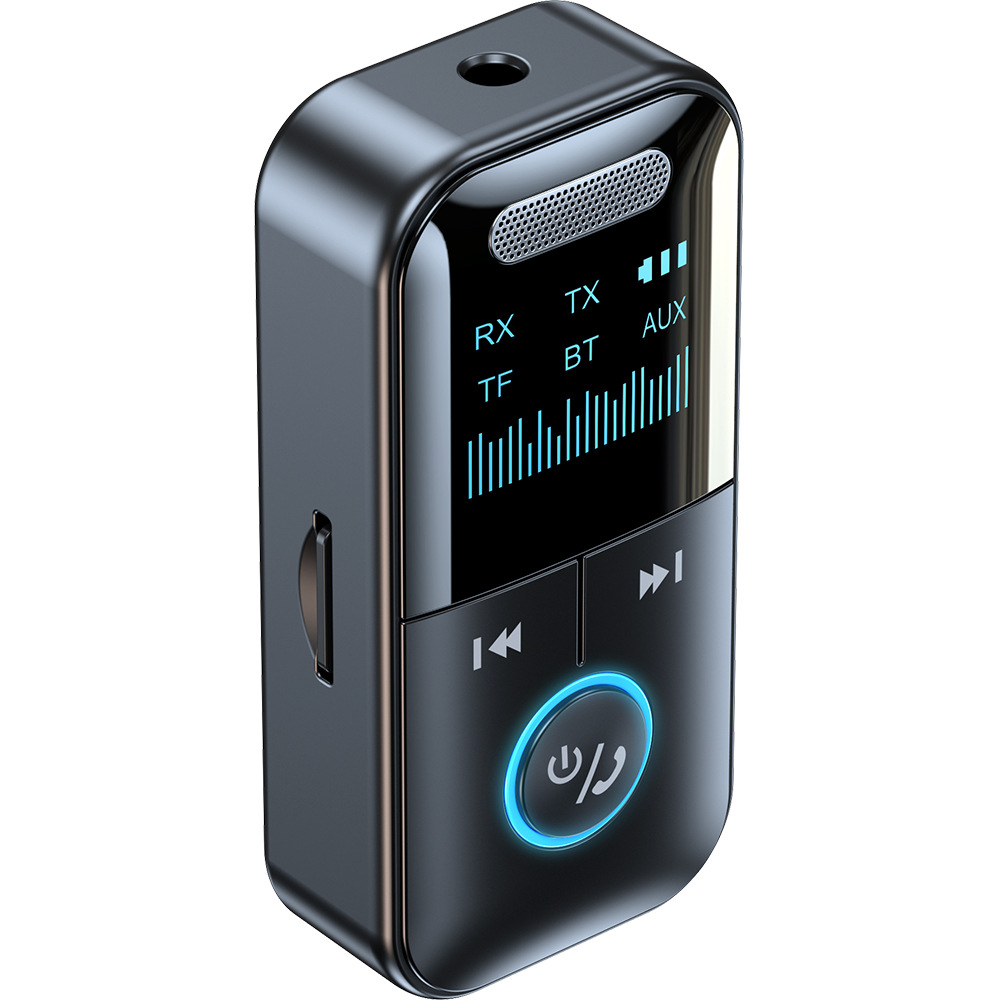
A 4-in-1 Bluetooth adapter for unparalleled music enjoyment. Features a high-definition display showing real-time usage status and supports TF card playback. Utilizing a Bluetooth 5.4 smart chip, it offers zero latency, a more stable connection, and plug-and-play functionality. The built-in high-capacity battery ensures stable signal transmission up to 10 meters without obstructions, providing up to 6 hours of continuous music playback on a full charge. The 200mAh battery supports both receive and transmit modes.
RX Receiving Mode: Instantly upgrades wired speakers, amplifiers, car radios, and other devices into Bluetooth devices, freeing you from wires. Simply plug it into your car's AUX port to connect your phone via Bluetooth, and you can enjoy music, navigation, and hands-free calls simultaneously, regardless of car model. Active speakers instantly become Bluetooth speakers, and they automatically reconnect upon second use.
TX Transmission Mode: Upgrades desktop computers, laptops, and older TVs to Bluetooth functionality, allowing connection to Bluetooth headphones or speakers. Watching sports, movies, and TV shows will no longer disturb family members, providing them with a quiet space.
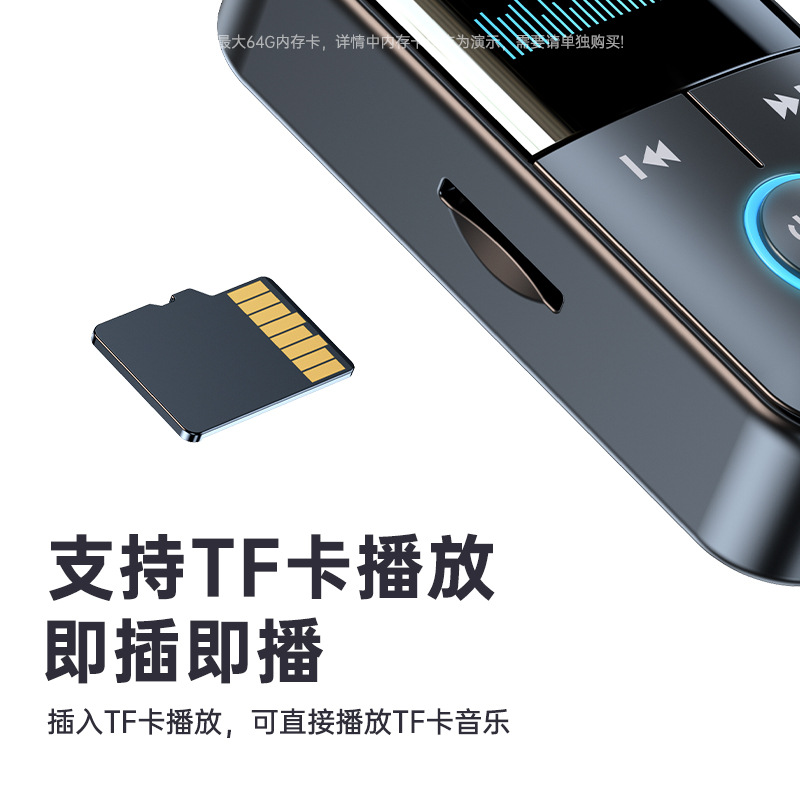
Supports TF card playback mode, plug and play. Simply insert a TF card to play music directly, supporting multiple formats such as MP3/WMA/APE/WAV/FLAC (supports memory cards up to 64GB; memory cards are for demonstration purposes only and must be purchased separately). Intelligent digital display function clearly shows Bluetooth connectivity, battery level, and mode status for easier viewing.
It can pair with 3.5mm wired headphones via Bluetooth, offering unobstructed transmission up to 10 meters for more convenient music listening. Utilizing a Bluetooth 5.4 chip, it boasts stronger performance, is driverless and plug-and-play, eliminating installation hassles, and offers strong compatibility and a more stable connection. It supports high-fidelity stereo sound quality, delivering clear audio for an immersive listening experience.
Extended battery life, providing up to 6 hours of continuous music playback, supports simultaneous charging and use. A 200mAh rechargeable polymer battery ensures long-lasting and convenient use. Multiple charging methods: compatible with computer USB, car USB, wall socket USB, power bank, and car charger. Stable signal, unobstructed transmission up to 10 meters, zero latency and smooth playback, suitable for in-car, office, entertainment, and home use.
Product parameters:
Product Name: 4-in-1 Bluetooth Adapter
Product Model: GT69
Bluetooth version: Bluetooth 5.4
Transmission distance: Up to 10 meters in open areas
Power supply method: Type-C interface
Product dimensions: Approximately 65mm × 32.2mm × 18mm
Battery capacity: 200mAh
Working time: Approximately 6 hours on a full charge
Product accessories: instruction manual, main unit, audio cable, charging cable
Connect in just three simple steps:
Step 1: Connect the product's AUX interface to the device you are using, and select the desired mode: transmit mode (TX) or receive mode (RX). Press and hold the power button for about 3 seconds. The display will light up, and the corresponding icon will flash automatically, indicating that the product is powered on and in pairing mode.
Step 2: Receive Mode (RX): Switch to RX receive mode. The RX indicator on the screen will flash. Turn on your phone's Bluetooth, search for "GT69", and click to connect. Once the connection is successful, the RX indicator will stop flashing.
Step 3: Transmit mode (TX): Switch to TX transmission mode. The TX icon will flash on the display. Turn on your Bluetooth headset/speaker and enter pairing mode. Wait for the connection to complete. Once the connection is successful, the TX icon will stop flashing.
Button operation instructions:
Power on: Press and hold the power button for 3 seconds
Power off: Press and hold the power button for 3 seconds
Bluetooth transmission: Select TX mode by toggling the switch. The TX icon on the display will flash continuously until a Bluetooth device is successfully connected, at which point the flashing will stop. Press the R button on the side to disconnect Bluetooth and search for Bluetooth devices again.
Bluetooth reception: Select RX mode by toggling the switch. The RX icon will flash. Turn on your phone's Bluetooth, search for the device name "GT69" and pair it. Once pairing is successful, the RX icon will stop flashing, and pairing is complete.
Previous track button: Tap to go to the previous track, long press to decrease the volume.
Next track button: Tap to play the next track, long press to increase volume.
Multifunction button: Press once to pause/play music; press briefly to answer/hang up a call, press long to reject the call; double-tap to dial the last outgoing number.
Re-search key R: Short press to disconnect the currently connected device and re-search for pairing.
Charging indicator: The charging icon at the top of the display flashes, and the indicator light turns red; when fully charged, the charging icon stops flashing, and the indicator light turns off.


